Use an extra large virtual pointer for your live presentations, with PointerStick
by
·
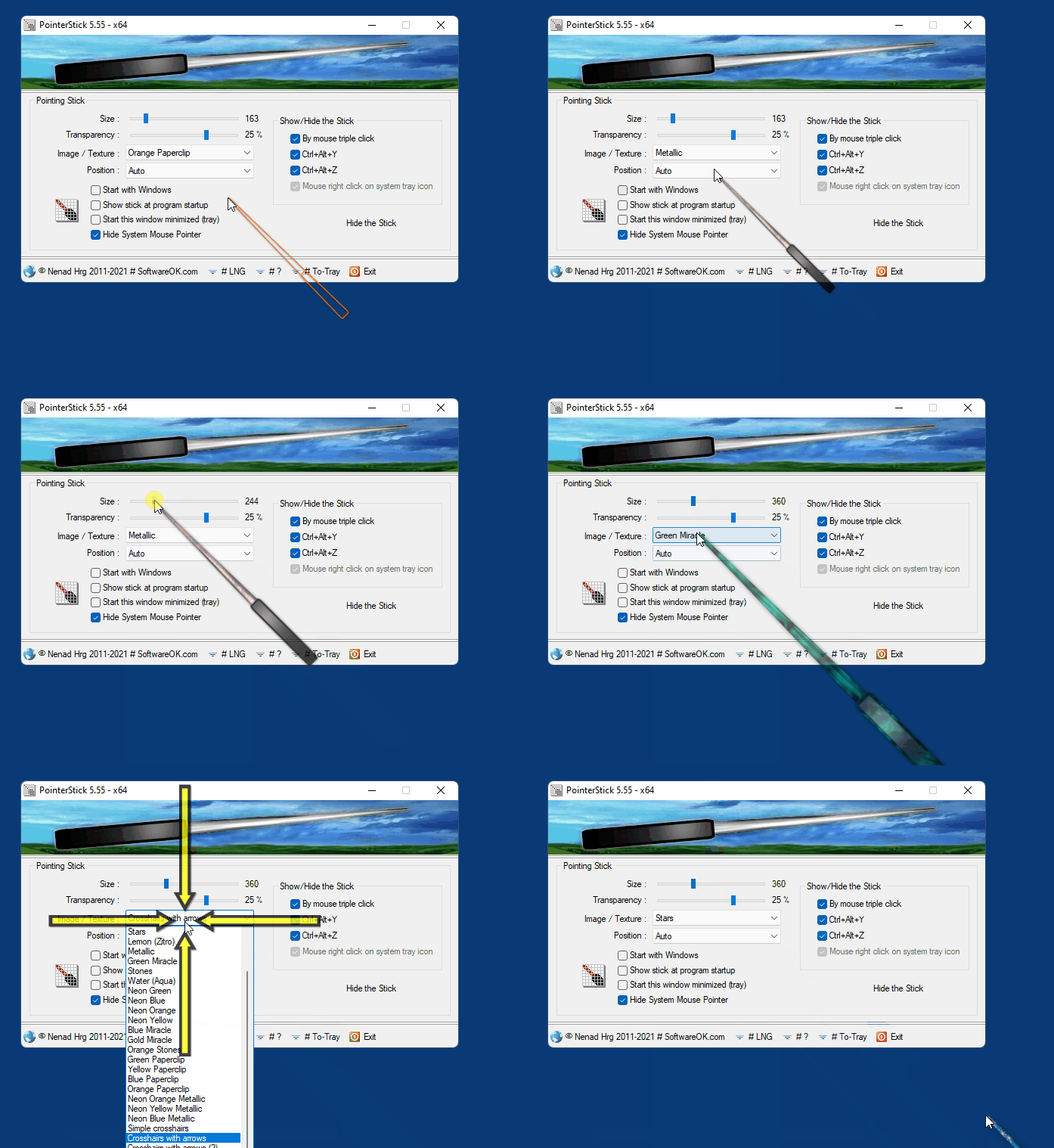
PointerStick is a free program that lets you enjoy a virtual pointer no one will fail to notice in your presentations.
You can form your virtual sticker as large as you like, change its color, make it even transparent as much you prefer to let it be visible without covering completely the information of your document.
PointerStick can be active immediately when you start Windows, or just wait silently at the tray.
It can appear and disappear even with keyboard shortcuts.
Download PointerStick
Related:
- Let large initials of the Active Language appear in the middle of your Desktop
- Develop your ideas in a live mind map with Personal Brain creative notepad
- Create easily powerful PowerPoint presentations, with iSlide
- OpenOffice free MS Office alternative for text processing, spreadsheets, presentations, painting, db editing and more
- Make PDF presentations with transitions, advance time, and music, using PDFrizator
- Create 2D and 3D graphs for presentations, even academic, with yoshinoGRAPH
- Create and burn photo albums and presentations with Photilla
Comments are closed, but you can
send email
Tags: PointerpresentationVirtual Stick